How to reset a Weiser keypad door lock?
The primary model of Weiser keypad door locks includes WeiserPowerbolt 1, Weiser Powerbolt 2, Weiser Smartcode5, Weiser Smartcode10, Weiser Smartcode10 touch, Weiser HALO, and Weiser AURA keypad door lock.
Weiser Powerbolt 1 reset
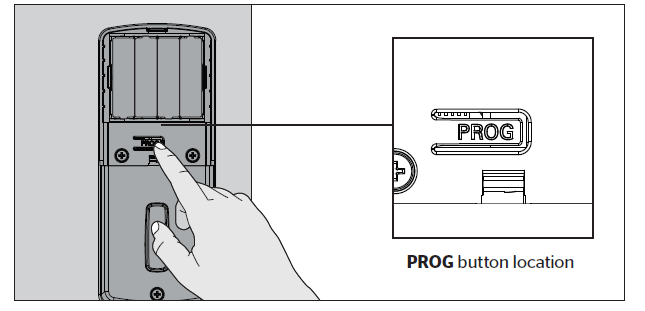
- Press PROG
- You will hear two long beeps
- Press 12
- Press PROG
- You will hear one short beep
- Enter a new 4-8 digit User Code
- Press PROG
- You will hear one long beep if successful. If you hear three beeps, it was unsuccessful. Repeat step 1 slowly.
Weiser Powerbolt 2 reset
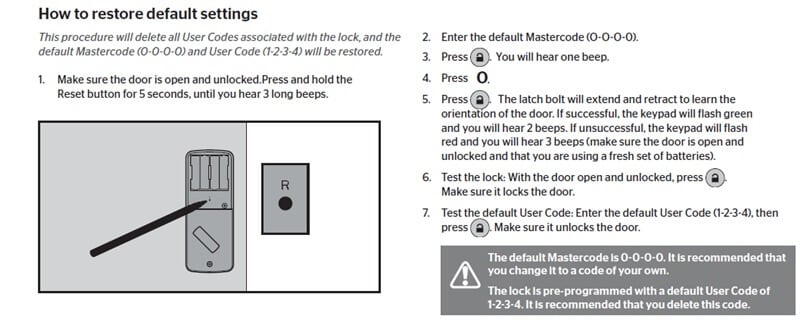
Weiser Powerbolt 2 keypad door lock reset has the same steps as Kwikset 264, and 275 keypad door lock reset, just “Lock Button” instead of Kwikset button or Enter button.
https://www.acslocks.com/