How to reset a Schlage keypad door lock?
The main models of Schlage keypad door locks include Schlage BE365, FE575, FE595, FE695, BE375, DE265, BE469, BE468, and BE479.
Schlage BE365, FE575, FE595, FE695, and BE375 factory reset
If you lose or forget your Programming Code, you can factory reset the Schlage keypad lock without programming code, which will fix the default Programming code:
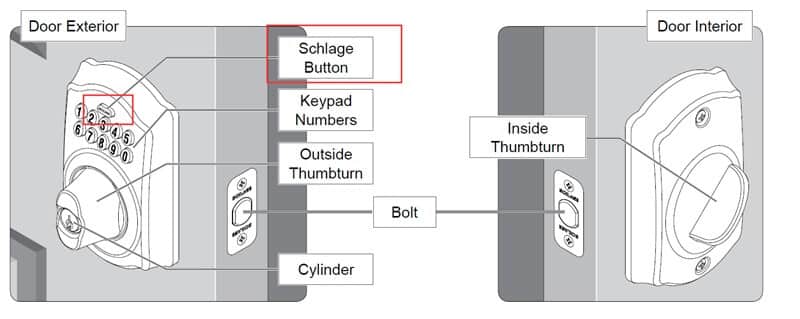
- Disconnect the battery.
- Press and release the Schlage button.
- The following steps must occur within 10 seconds: Reconnect the battery. The Schlage button or indicator light will light green for one second. Then, press and hold the Schlage button until it lights green and the lock beeps.
- Try entering one of the default User Codes. If it does not unlock the lock, start over at step 2.
Once done, you can change the programming code to a personalized number.
https://www.acslocks.com/